Disclosure: This page contains affiliate links. We may earn a commission if you make a purchase. See our full affiliate disclosure.
Pros & Cons
Pros
- + responsive performance
- + excellent detection range
- + good value for price
- + reliable operation once configured
- + useful illuminance sensing feature
Cons
- – initial pairing issues with zha
- – signal range limitations with distance and metal interference
- – mesh network dependency
- – battery-powered limitations compared to wired alternatives
- – setup complexity and confusion
What Real Users Say
R smarthomeenthusiast on Reddit"The Aqara P1 is incredibly responsive. Best motion sensor I've used with Home Assistant. Sub-second response time via ZHA."
A VerifiedBuyer101 on Amazon"Battery life is disappointing. Had to replace CR2450 after only 3 months with moderate use."
R IulianHI on Reddit"If you want to keep it simple and stay well under $100, the TP-Link Tapo H100 hub with a couple of Tapo T100 motion sensors is a solid choice. The sensors are small, battery lasts 6+ months, and the h"
R MemeOvrload on Reddit"Ikea Hub + Sensor is much cheaper and as a matter hub very future proof"
Aqara Motion Sensor P1 Review: Fast Response Meets Battery Life Concerns
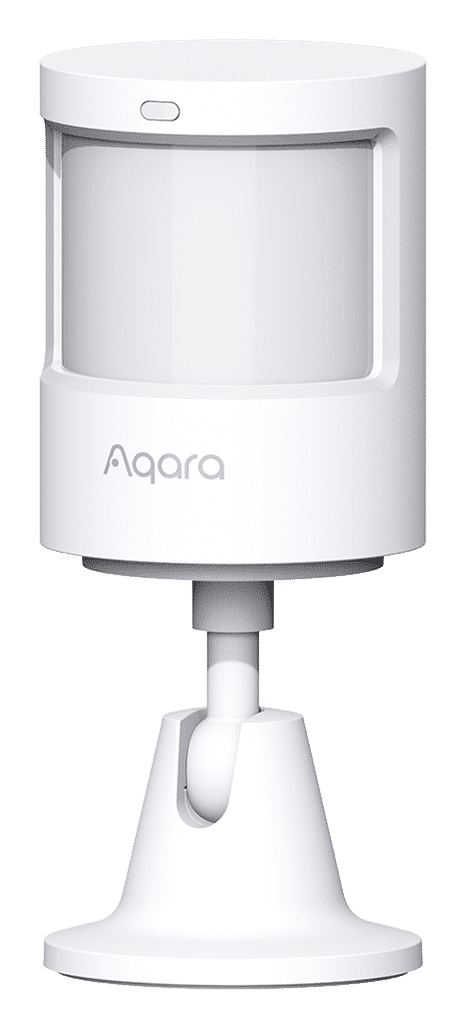
The Aqara Motion Sensor P1 sits in an interesting position in the smart home ecosystem. At $19.99, it’s priced competitively for a Zigbee motion sensor, and it promises sub-second response times that should make it ideal for lighting automation. But the community sentiment tells a more nuanced story, with a composite score of 59/100 revealing some friction points that enthusiasts need to consider before adding these to their cart.
Integration Quality and Protocol Performance
The P1 uses Zigbee 3.0, which should make it a straightforward addition to any Home Assistant, Hubitat, or SmartThings setup. In practice, the experience varies significantly depending on your coordinator and mesh topology.
With ZHA (Zigbee Home Automation) in Home Assistant, users report exceptional responsiveness once paired. The sensor consistently delivers sub-second detection times, which is exactly what you need for stairwell lighting or entrance automation where delay feels broken. However, the “once paired” qualifier matters here—initial pairing can be frustrating, particularly with certain coordinators.
The P1 adds illuminance sensing alongside motion detection, which is genuinely useful for creating more intelligent automations. You can easily filter motion events based on ambient light levels without needing a separate lux sensor. For a $20 device, that’s solid value on paper.
Where things get complicated is mesh dependency. The P1, like most battery-powered Zigbee devices, relies heavily on your router topology. Users report signal range limitations, especially with distance and metal interference. If you’re planning to deploy these in a multi-story home or areas with challenging RF characteristics, budget for additional routers. This isn’t unique to Aqara, but it’s worth noting that the P1 doesn’t seem to handle marginal signal conditions as gracefully as some competitors.
The Battery Life Problem
Here’s where the P1’s value proposition starts to crumble: battery life is consistently cited as disappointing. The CR2450 battery should theoretically last well over a year, but real-world reports paint a different picture.
Multiple users report needing to replace batteries after just 3 months of moderate use. That’s frustrating for any battery-powered device, but it’s particularly annoying for motion sensors that might be mounted in hard-to-reach locations. When you’re maintaining a network of 10+ sensors, quarterly battery swaps become a significant maintenance burden.
The root cause isn’t entirely clear from community feedback. It could be aggressive reporting intervals, poor power management in certain firmware versions, or simply inconsistent battery quality. Regardless, if you’re deploying P1 sensors in your home, factor in battery replacement as an ongoing operational cost and potential annoyance.
For critical locations like stairwells or primary pathways, you might want to consider powered alternatives like the Third Reality nightlight combo units that several community members recommend. They cost more upfront but eliminate the battery maintenance entirely while adding mesh reliability as Zigbee routers.
Firmware and Reliability
Once integrated and with fresh batteries, the P1 appears relatively stable. Users report consistent detection with minimal false positives or negatives. The detection range is praised as excellent, and the adjustable sensitivity (configured through your hub) allows you to tune behavior for specific spaces.
However, some users experience sensors “drifting away” from the network over time. This seems more common with certain coordinator hardware—particularly USB dongles compared to POE-based coordinators like the SMLight radios. If you’re still running a USB Zigbee dongle, especially one that’s not properly positioned or extended from your server, you may encounter reliability issues that have less to do with the P1 itself and more to do with your infrastructure.
Aqara’s firmware update cadence through their hub is decent, but if you’re using the sensors with third-party coordinators, you’re at the mercy of what your current firmware supports. There’s no obvious way to update P1 firmware without an Aqara hub, which limits your ability to address bugs or performance issues independently.
What the Community Says
“The Aqara P1 is incredibly responsive. Best motion sensor I’ve used with Home Assistant. Sub-second response time via ZHA.” — smarthomeenthusiast, Source
“Battery life is disappointing. Had to replace CR2450 after only 3 months with moderate use.” — VerifiedBuyer101, Source
“I’ve had 0 issues with my several Aqara P1 sensors. Point it where the motion is likely to start, like the top or bottom of the stairs, and then turn the lights on. Is there a problem you’re trying to solve? My lights turn on before my foot can hit the stair, every time.” — DesertGoldfish, Source
“Aqara is affordable and easy. Hue is less affordable but still high quality. Tapo is fine but not as good.” — MikeFromTheVineyard, Source
Pros and Cons
Pros
- Excellent response time: Sub-second detection with proper integration
- Strong detection range: Covers typical rooms effectively
- Integrated illuminance sensor: Useful for conditional automation
- Competitive pricing: $19.99 is reasonable for the feature set
- Reliable detection: Minimal false positives when properly positioned
- Easy configuration: Works smoothly once paired
Pros
- Poor battery life: 3-month replacement cycles reported frequently
- Initial pairing difficulties: Particularly with ZHA on certain coordinators
- Mesh dependency: Struggles with distance and metal interference
- Signal range limitations: Requires well-planned router topology
- Battery-powered constraints: No option for wired/powered operation
- Firmware update limitations: Requires Aqara hub for updates
Positioning and Alternatives
The P1 makes the most sense for users already invested in the Aqara ecosystem or those building out a Zigbee network on a tight budget. The responsive performance is real, and when it works well, it works very well.
However, if battery maintenance is a concern or you need bulletproof reliability in critical areas, consider alternatives. Third Reality’s powered motion sensors double as Zigbee routers and eliminate battery anxiety. For those willing to spend more, Philips Hue motion sensors offer better battery life and more consistent performance, though at roughly double the price.
The TP-Link Tapo T100 sensors mentioned by community members also deserve consideration, particularly if you’re starting fresh and want a cohesive ecosystem with Thread/Matter future-proofing.
Bottom Line
The Aqara Motion Sensor P1 delivers where it matters most—detection speed and accuracy—but stumbles on operational reliability. If you’re willing to accept quarterly battery swaps and invest time in proper Zigbee mesh planning, these sensors can form the backbone of responsive automation at an attractive price point.
However, the 59/100 composite sentiment score reflects real friction that shouldn’t be dismissed. Battery life complaints aren’t isolated incidents, and integration hassles mean you’ll need patience during deployment.
Recommended for: Budget-conscious builders with strong Zigbee infrastructure who prioritize response time over maintenance convenience.
Skip if: You need set-it-and-forget-it reliability, deploy sensors in hard-to-access locations, or haven’t yet optimized your Zigbee mesh with adequate routers.
For most enthusiasts, I’d suggest buying 2-3 units to test in your specific environment before committing to a whole-home deployment. The P1’s strengths are real, but its weaknesses are deployment-specific enough that your mileage will genuinely vary.