Disclosure: This page contains affiliate links. We may earn a commission if you make a purchase. See our full affiliate disclosure.
Pros & Cons
Pros
- + Incredible value at under $36
- + Color night vision with Starlight sensor
- + IP65 weather resistance for indoor/outdoor use
- + RTSP firmware available for local streaming
- + Free 14-day cloud storage for motion events
Cons
- – Requires Wyze cloud account for initial setup
- – Cam Plus subscription needed for person detection
- – RTSP firmware can be unreliable
- – Privacy concerns around cloud dependency
What Real Users Say
R u/budget_security on r/smarthome"At $36 you can put these everywhere. The color night vision is genuinely impressive for the price. I have 6 of them running."
R u/privacy_first on r/homeassistant"Flashed RTSP firmware and run it through Frigate. Works but the RTSP stream drops occasionally. Not as reliable as an Amcrest."
A NightVisionFan on Amazon"The Starlight sensor is no joke. Can clearly see my backyard in color at night. Best camera under $50, period."
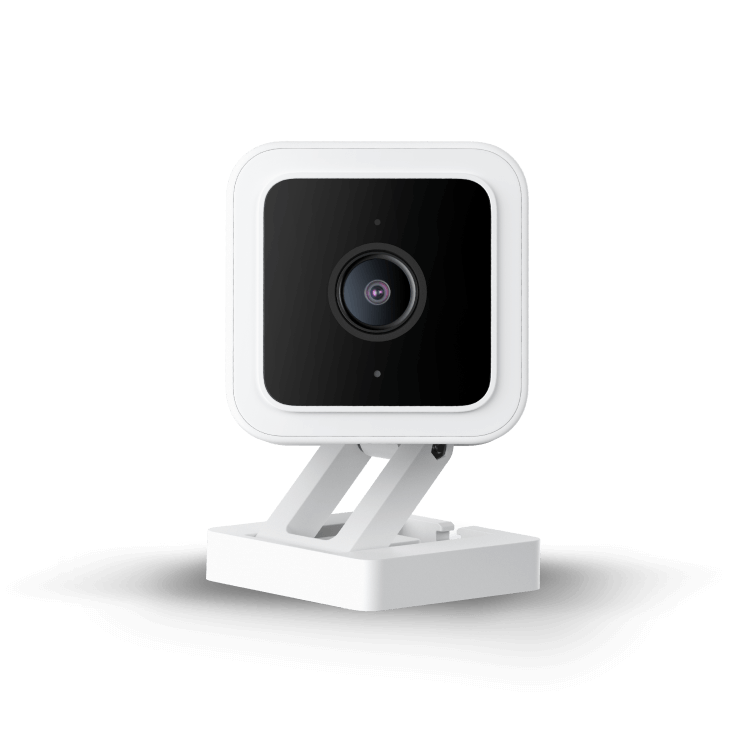
The Wyze Cam v3 scores 78/100 in community sentiment, earning its place as the budget king of smart home cameras. At under $36, it delivers features that rival cameras costing three times as much. The community’s main concerns center on cloud dependency and privacy.
Unmatched Value
The Wyze Cam v3 offers color night vision, IP65 weather resistance, motion detection zones, and two-way audio for less than $36. The community consistently calls it out as the best bang-for-buck camera available. For users deploying multiple cameras on a budget, nothing else comes close.
Free 14-day cloud storage for motion-triggered clips is included without a subscription, which is increasingly rare in the smart camera market.
Color Night Vision
The Starlight CMOS sensor is the standout feature. Unlike traditional IR night vision that produces grainy black-and-white footage, the v3 captures usable color video in low-light conditions. Community members report being able to identify people, car colors, and animals in near-darkness.
Local Control Options
For privacy-conscious users, Wyze offers an RTSP firmware that enables local streaming to tools like Frigate, Blue Iris, or Home Assistant. The community appreciates this option but flags reliability concerns — the RTSP stream can drop under load and requires periodic camera reboots.
Power users wanting reliable local streaming generally point to Amcrest or Reolink cameras instead.
The Privacy Trade-Off
Wyze requires a cloud account for initial setup, and the default experience routes through Wyze’s cloud servers. The community is split: budget-focused users accept the trade-off, while privacy advocates prefer cameras that work fully local out of the box.
Where to Buy
Bottom Line
The Wyze Cam v3 earns its 78/100 score on pure value. If you want affordable smart home security and don’t mind cloud dependency, it’s unbeatable. Privacy-conscious Home Assistant users should consider the RTSP firmware route or look at cameras with native local streaming.
Sentiment data sourced from r/homeassistant, r/homesecurity, r/smarthome, and Amazon verified reviews. Last analyzed: March 2026.