Disclosure: This page contains affiliate links. We may earn a commission if you make a purchase. See our full affiliate disclosure.
Pros & Cons
Pros
- + reliability and stability
- + good aesthetic design
- + long-term durability
- + consistent performance over time
- + works well with other systems
Cons
- – high price point
- – not suitable for smart bulb setups
- – requires bridge for connectivity
- – latency issues in certain use cases
- – limited use case for wifi smart bulbs
Best Price for Lutron Caseta Diva Smart Dimmer
59.95
Check Price on Amazon →Affiliate link — see disclosure
What Real Users Say
R Emergency_Ad7839 on Reddit"Yes it is *technically* local from HA->hub. But I only can add/adjust device settings through the Lutron app. Hm I'll check out that website to see but I recall doing some adjustments a few years ago"
R lutron_loyalist on Reddit"Lutron Caseta is the most reliable smart switch system, period. Clear Connect protocol never drops. 5 years and counting."
R budget_conscious on Reddit"Only downside is the price. $60 per switch adds up fast when you're doing a whole house. But worth it for reliability."
R Master-Ad-6265 on Reddit"If you go Caseta with the Diva smart dimmer, the typical setup for a 3-way is: • Diva Smart Dimmer on the main load side • Claro Accessory Switch on the other wall That keeps the look consistent and w"
Lutron Caseta Diva Smart Dimmer Review: The Reliability Tax Is Real
The Lutron Caseta Diva Smart Dimmer represents everything right—and everything expensive—about the smart home category. At $59.95 per switch, it’s asking you to pay a premium for something most competitors offer at half the price. The question isn’t whether it works well (it does), but whether that reliability premium is worth it for your specific setup.
What Makes the Diva Different
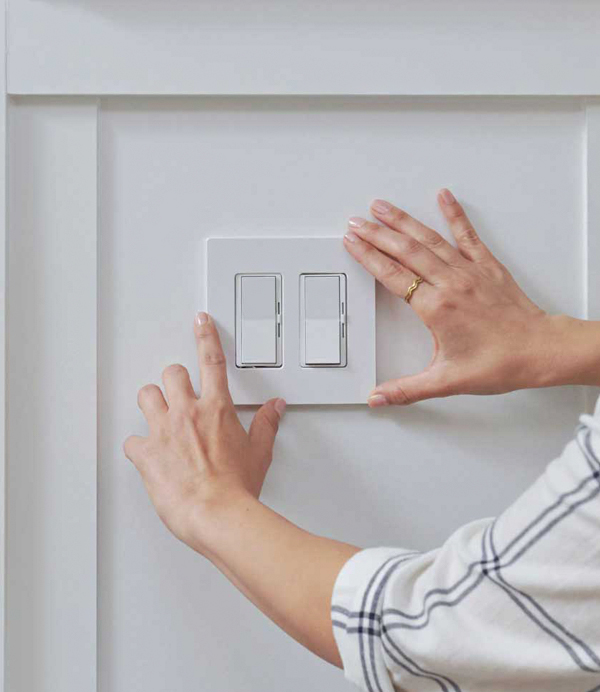
The Diva is Lutron’s answer to enthusiasts who want smart control without announcing it to every guest. Unlike the original Caseta button-style switches, the Diva features a traditional paddle form factor with a discrete dimming slider. It’s smart home infrastructure that disappears into your wall—which matters more than you’d think when you’re trying to maintain the aesthetic of an older home.
This isn’t a Wi-Fi switch despite what the specs might suggest. Lutron uses their proprietary Clear Connect RF protocol (a variant of 433 MHz), which operates through the required Caseta hub. That hub then connects to your network and integrates with Home Assistant, SmartThings, or Hubitat via their local API. Yes, you need another hub. No, that’s not necessarily a bad thing.
Integration Quality: Where Lutron Shines
Home Assistant integration is rock-solid through the official Lutron Caseta integration. The connection is local, responsive, and—here’s the key differentiator—it stays that way. While you’ll need the Lutron app for initial device setup and configuration adjustments, day-to-day control is entirely local once configured.
The integration exposes dimming level, on/off state, and button presses (the Diva has separate on/off/favorite buttons that can trigger automations). Dimming is smooth and granular with 100-level control, though you may need to dive into Lutron’s compatibility database and adjust low-end trim settings if you’re running particular LED bulbs. This isn’t plug-and-play perfection, but it’s documented and solvable.
One significant consideration: Lutron’s ecosystem is deliberately closed. You configure devices through their app, period. For tinkerers who want to adjust every parameter through their hub of choice, this feels limiting. For operators who want appliances that just work, it’s a feature.
The No-Neutral Advantage
If you’re working with older homes—and based on community discussion, many of you are—the Diva’s no-neutral-wire requirement is the headline feature. Most competing smart switches need that neutral, which simply doesn’t exist in many pre-1980s electrical boxes. Lutron works around this through their proprietary design, saving you from expensive rewiring or the complexity of Shelly relay installations behind dumb switches.
This alone justifies the Diva for retrofit scenarios. The alternative is either significant electrical work or accepting the compromises of battery-powered solutions or smart bulb setups.
Real-World Performance and Reliability
Here’s where the premium becomes defensible: Lutron Caseta switches have a reputation for multi-year stability that few competitors match. The Clear Connect protocol simply doesn’t suffer from the congestion issues that plague Zigbee and Z-Wave networks in dense deployments. Switches respond instantly, consistently, every time.
The dimming performance is legitimately premium-tier. Smooth transitions, minimal flicker, excellent low-end performance (when properly configured). If you’ve suffered through budget dimmers that buzz, strobe, or refuse to go below 20%, the Diva is noticeably better.
However, longevity data suggests you’re not buying the switch itself so much as the ecosystem lock-in. Five, ten years from now, will Lutron support your hub? Will the integration continue working? The company’s track record is solid, but you’re betting on their continued support in a way you’re not with open protocols.
What the Community Says
“Lutron Caseta is the most reliable smart switch system, period. Clear Connect protocol never drops. 5 years and counting.” — lutron_loyalist, Source
“I went all in on Lutron Caseta about 10 years ago. Never not once an issue. Everything works when the internet is down. Everything works when the internet comes back online. Never a ‘not responding’ issue in Apple Home.” — Joey4692885, Source
“Only downside is the price. $60 per switch adds up fast when you’re doing a whole house. But worth it for reliability.” — budget_conscious, Source
“Yes it is technically local from HA->hub. But I only can add/adjust device settings through the Lutron app.” — Emergency_Ad7839, Source
“If you go Caseta with the Diva smart dimmer, the typical setup for a 3-way is: Diva Smart Dimmer on the main load side, Claro Accessory Switch on the other wall. That keeps the look consistent and works like a normal 3-way.” — Master-Ad-6265, Source
The Multi-Way Situation
Three-way and four-way switch configurations deserve special attention. The Diva setup requires the smart dimmer at the load location and either Claro accessory switches ($19 each) or Pico remotes at other locations. This adds to the per-circuit cost, but provides flexibility—you can add Pico remote “switches” anywhere without running wire, which is genuinely useful for fixing badly-designed lighting layouts.
The accessory switches maintain the traditional paddle aesthetic and function like dumb switches—they signal the smart dimmer wirelessly rather than breaking the circuit. For family members or guests who don’t care about your smart home, everything works normally.
Pros and Cons
Pros:
- Best-in-class reliability and long-term stability
- No neutral wire required—perfect for retrofit applications
- Excellent dimming performance with wide LED compatibility
- Traditional paddle aesthetic with discreet smart features
- Local control through hub integration
- Works during internet outages
- Pico remote ecosystem allows wireless switch additions
- Six color options including ivory/almond for older homes
Cons:
- Premium pricing at $60 per switch
- Requires Caseta hub (additional $80-100)
- Closed ecosystem—configuration only through Lutron app
- Not suitable for smart bulb installations (load needs to stay powered)
- Additional cost for multi-way configurations
- Some reported latency in specific edge cases
- Limited direct parameter control from third-party hubs
Price Reality Check
Let’s address the elephant: outfitting a typical home with 20 switches means $1,200 in Divas alone, plus the hub. That’s $1,300+ for lighting control. You can do the same job with Inovelli, Zooz, or other Z-Wave switches for under $600. The question is whether reliability and no-neutral operation are worth that delta for your use case.
If you’re building new construction with neutral wires throughout, the Lutron premium is harder to justify. If you’re retrofitting an older home and value stability over tinkering, the math changes significantly.
Who Should Buy This
The Diva makes sense for:
- Retrofit scenarios in older homes without neutral wires
- Operators seeking appliance-grade reliability over maximum customization
- Mixed-technical-ability households where switches need to “just work”
- Anyone burned by flaky Zigbee/Z-Wave networks willing to pay for stability
- Aesthetic-conscious installations where gear should be invisible
Skip the Diva if you:
- Need per-device configuration control from Home Assistant
- Want to use smart bulbs (you need switches that leave power on)
- Are working with new construction and have neutrals everywhere
- Prefer open protocols over proprietary ecosystems
- Can’t justify the 2x cost premium for reliability
Bottom Line
Score: 75/100 — Premium product, premium price, premium reliability.
The Lutron Caseta Diva Smart Dimmer is the switch you buy when you’re done experimenting and want infrastructure that disappears. It’s expensive, closed, and unapologetically premium. It’s also the most reliable smart switch ecosystem you can buy, backed by a decade of user reports confirming rock-solid operation.
For most enthusiasts building their first system or working with newer construction, cheaper Z-Wave alternatives make more sense. But if you’re retrofitting an older home, replacing a flaky existing system, or prioritizing stability over every last feature, the Lutron tax is worth paying. This is infrastructure, not a gadget—price it accordingly.
Amazon (Inovelli Blue Series 2-1 Switch) Lutron Store
Just remember: you’re not buying a switch, you’re buying into an ecosystem. Make sure that ecosystem fits your needs for the next decade, because that’s how long these things last.